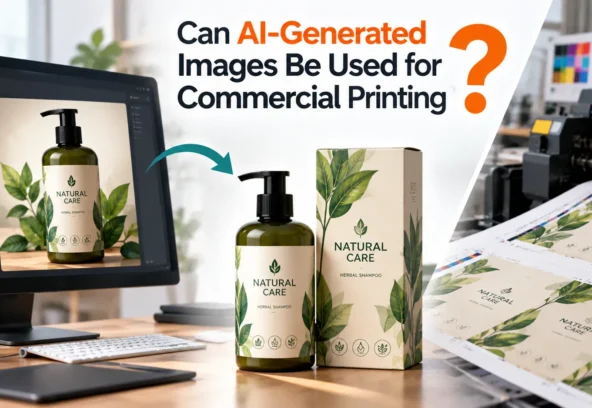

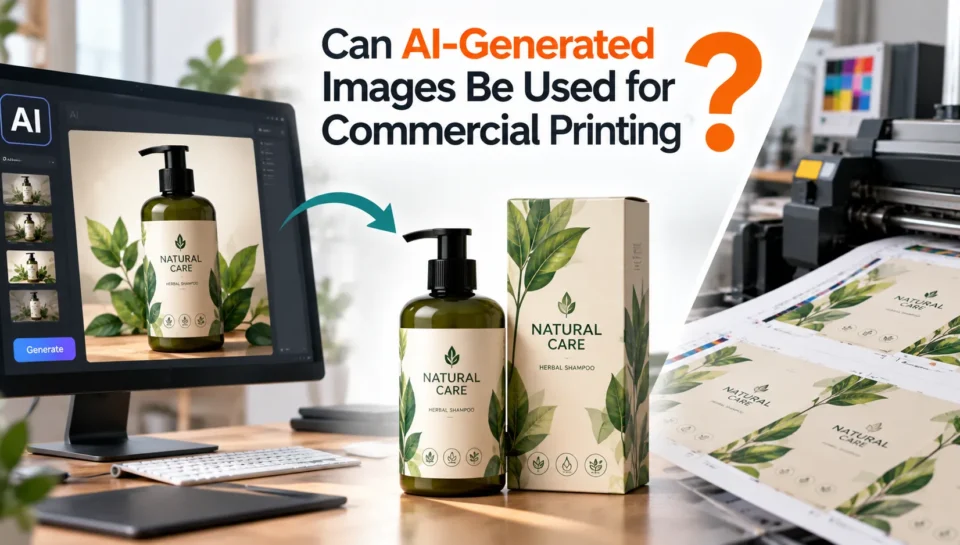
Yes, AI-generated images can be used for commercial printing, but an AI-generated image is not automatically a print-ready file. Before sending it to a commercial printer, you need to verify its usage rights, image quality, resolution, colour mode, dimensions, bleed, typography, and overall artwork structure.
This distinction is especially important for packaging, labels, brochures, posters, retail displays, and other physical marketing materials. An image that looks impressive on a screen may still contain technical problems that become visible when printed.
AI has made visual concept creation much faster. However, commercial printing still requires careful prepress preparation and production checks.
Quick Answer: Can AI Images Be Printed Commercially?
Yes, provided that the AI tool’s terms allow commercial use and the resulting artwork meets the printer’s technical requirements.
For example, Adobe states that outputs generated with its Firefly models can be used commercially, subject to the applicable product terms. Adobe also distinguishes Firefly-generated content from outputs created with partner AI models, where users are responsible for reviewing the relevant model’s terms.
So there are really two separate questions:
- Do you have the right to use the AI-generated image commercially?
- Is the image technically suitable for commercial printing?
Both need to be answered before production.
Why an AI-Generated Image Is Not Automatically Print-Ready
Most AI image generators create raster images. Even when the image looks sharp at its original size, it may not contain the resolution or editable structure required for professional print production.
A commercial printer may need artwork with:
- Correct final dimensions
- Sufficient effective resolution
- Appropriate colour mode and profile
- Bleed and safe areas
- Correct trim and dieline information
- Editable text and graphics where required
- Properly prepared PDF or other production format
- Correct spot colours or finishing layers
- No missing fonts or linked assets
Adobe’s current print-production guidance recommends checking links, fonts, margins, bleeds, colour settings and preflight before creating a print-ready PDF.
This is why AI image generation and print-ready artwork production are two different stages.
1. Check the AI Tool’s Commercial Usage Rights
Before using an AI-generated image on packaging or advertising material, check the terms of the AI platform you used.
Not every AI service has identical licensing rules. Some allow commercial usage under certain plans or conditions, while others may have restrictions concerning generated content, model outputs, trademarks, identifiable people, or other intellectual-property rights.
Adobe’s current guidance, for example, says Firefly outputs can be used commercially for eligible features, while partner-model outputs require review of the applicable partner terms.
There is also an important distinction between permission to use an image commercially and copyright ownership or protection. The U.S. Copyright Office’s AI guidance explains that copyright protection for AI-generated material depends on the presence of sufficient human authorship rather than simply providing prompts to an AI system. Laws vary by jurisdiction, so brands should obtain appropriate legal advice for high-value or sensitive projects.
Short answer:
Commercial-use permission does not automatically mean the image is copyright-protected in the way a fully human-created artwork may be.
2. Check the Image Resolution at Final Print Size
One of the biggest problems with AI-generated images is resolution.
Suppose an AI tool creates an image that looks excellent on a laptop. If that image needs to cover a large package panel, poster, or display, enlarging it too much can produce softness, artifacts, or loss of detail.
A professional artwork team should check the effective resolution at the actual output size, rather than judging quality only from the screen.
For example, packaging artwork guidelines from Cent Packaging specify 300 DPI at final size for raster TIFF or PSD files, while preferring vector formats such as AI, PDF/X-4 and EPS for appropriate artwork.
AI upscaling can help, but it should not be treated as a substitute for proper artwork preparation.
3. Convert RGB Artwork for the Printing Process
AI image generators commonly produce images intended for digital viewing. Commercial printing, however, uses defined colour workflows.
RGB and CMYK do not reproduce colour in exactly the same way. Certain bright RGB colours may not have direct CMYK equivalents.
Adobe specifically notes that some RGB and HSB colours, including certain neon-like colours, fall outside the printable CMYK gamut.
For print production, the artwork should therefore be converted and reviewed according to the printer’s required colour profile.
This matters particularly for brand colours. A vibrant colour shown on a monitor may look noticeably different after printing.
4. Add Bleed and Safe Areas
An AI image can fill the visible design beautifully, but commercial artwork needs to account for trimming.
Bleed extends artwork beyond the final trim edge so that small cutting variations do not leave unwanted white edges.
Adobe explains that bleed extends artwork outside the printing bounding box or trim area and provides dedicated settings for incorporating bleed into print PDFs.
The exact bleed requirement depends on the printer, product and production process. For example, one packaging supplier specifies 3 mm bleed and a 4 mm safe zone, but those numbers should never be treated as universal requirements.
5. Rebuild Important Elements as Vector Artwork
AI-generated images can work well as visual backgrounds, illustrations or photographic elements. But some components are better recreated separately.
These can include:
- Logos
- Product names
- Regulatory information
- Icons
- Barcodes
- QR codes
- Fine lines
- Technical symbols
- Dielines
- Special-finish artwork
Keeping these elements editable makes the final artwork easier to modify and more reliable in production.
For packaging projects, this is particularly important because artwork may need multiple SKUs, languages, sizes, regulatory changes or printer-specific adjustments.
6. Check AI-Generated Text Carefully
AI image generators have improved considerably, but text inside generated images can still contain distorted letters, incorrect spelling, unusual characters or inconsistent typography.
For commercial packaging, this is a serious issue.
Instead of relying on AI-generated text, a production workflow should generally recreate important copy using professional typesetting software. This gives the designer control over:
- Font selection
- Spacing
- Hierarchy
- Alignment
- Legibility
- Language versions
- Regulatory copy
- Final editing
The AI-generated image can provide the visual foundation while the production team rebuilds the elements that need precision.
7. Prepare the AI Image for Packaging and Other Print Formats
The requirements become more demanding when the image is going onto packaging.
Packaging artwork may involve:
- Dielines
- Fold and crease positions
- Cut lines
- Bleed
- Safe zones
- Barcodes
- Nutrition information
- Legal copy
- Multiple SKUs
- Spot colours
- Foil
- Embossing
- Varnishes
- Print specifications
For example, packaging artwork guidelines may require separate layers for die cuts, foil, spot UV and embossing/debossing.
An AI-generated image alone cannot automatically account for all these production requirements.
A Practical AI-to-Print Workflow
A reliable workflow looks like this:
AI concept → Rights check → Image quality check → Upscaling if required → Colour conversion → Vector recreation → Typography → Dieline/bleed setup → Prepress inspection → Proofing → Print-ready PDF → Printer approval
This approach allows AI to handle what it does well—rapid visual exploration and concept generation—while professional artwork production handles the technical requirements of physical printing.
Common Mistakes When Printing AI-Generated Images
Some common problems include:
- Using an AI image without checking its commercial-use terms
- Enlarging a low-resolution image excessively
- Sending RGB artwork directly to a CMYK printing workflow
- Forgetting bleed
- Keeping AI-generated text instead of recreating it
- Using an AI-generated logo as the final brand logo
- Ignoring printer specifications
- Failing to check small details at 100% size
- Exporting without checking fonts, links and preflight
- Assuming a JPG or PNG is automatically a print-ready file
The last point is particularly important: a high-resolution image and a print-ready artwork file are not necessarily the same thing.
Can AI-Generated Images Be Used on Product Packaging?
Yes. AI-generated imagery can be incorporated into product packaging, provided that the relevant usage rights are confirmed and the artwork is professionally prepared for production.
For packaging brands, AI can be useful for creating concepts, backgrounds, illustrations, lifestyle imagery and visual directions. The final packaging artwork should then go through a proper production and prepress workflow.
This is where an artwork production specialist can add significant value.
How Langoor Designs Can Help
Langoor Designs works at the point where creative design needs to become production-ready artwork. Its website describes services covering packaging design, artwork production, prepress, image vectorization, colour management, bleed setup and packaging artwork preparation.
For brands using AI-generated concepts, the practical workflow can involve transforming an initial AI visual into a structured artwork file suitable for actual production.
Langoor Designs also highlights experience across FMCG, pharma, D2C, cosmetics, food and beverage, and other consumer-product categories, with work spanning international markets.
That makes the distinction between “AI-generated” and “production-ready” particularly important: AI can accelerate the creative starting point, while professional artwork preparation helps bridge the gap between an image on a screen and a file that a printer can actually use.
Frequently Asked Questions
Can I print an AI-generated image on a product?
Yes. You can use an AI-generated image on a product or its packaging if the AI tool’s terms permit the intended commercial use and the artwork satisfies the technical requirements of the printing process.
Do AI-generated images need to be converted to CMYK?
Often, yes for conventional commercial printing, but the exact colour workflow should follow the printer’s specifications. Adobe notes that CMYK is the appropriate document colour mode for print, while some RGB colours cannot be reproduced directly in CMYK.
Is 300 DPI enough for AI-generated images?
300 DPI at final size is a common benchmark for raster print artwork, but the required resolution depends on the printing process, viewing distance and printer specifications. Some packaging suppliers specifically request 300 DPI at final size for raster files.
Can I use Midjourney or another AI generator for commercial printing?
Potentially. You should check the current commercial-use and licensing terms of the specific AI platform and plan you used before production.
Can AI-generated artwork be used for packaging design?
Yes. AI can be used to develop packaging concepts and visual assets, but packaging artwork usually requires additional work such as typography, dielines, colour management, regulatory information, bleed and prepress checks.
Is an AI-generated JPG a print-ready file?
Not necessarily. A JPG can be an input asset, but a print-ready file may require correct dimensions, resolution, colour management, bleed, fonts, vector elements, packaging specifications and an appropriate final PDF or other format.