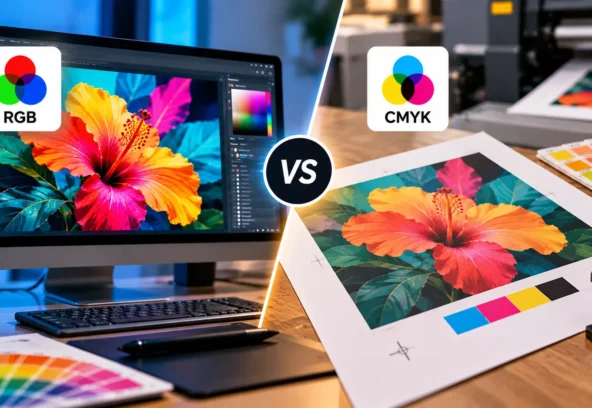

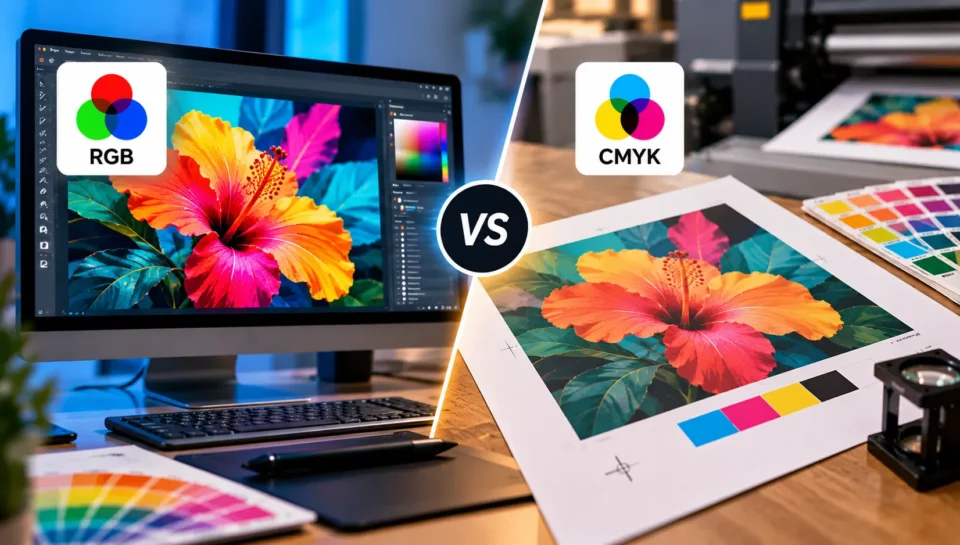
Have you ever designed something on your computer, only to find that the printed colours look duller or different from what you expected? The problem may not be your design. It could be the colour mode used to create or prepare the file.
When comparing CMYK vs RGB printing, the main difference is how each colour model produces colour. RGB combines light to display images on screens, while CMYK combines printing inks to reproduce colours on physical materials.
In general, RGB is best for digital content, while CMYK is commonly used for commercial printing. However, the correct choice depends on the printer, printing method, and file specifications.
If you are designing packaging, labels, brochures, business cards, or other printed materials, understanding the difference can help you avoid unexpected colour changes and prepare your artwork more confidently.
What Is RGB Colour Mode?
RGB stands for Red, Green, and Blue. It is an additive colour model used by digital screens, including computers, smartphones, televisions, and digital cameras.
RGB creates colours by combining different intensities of red, green, and blue light. When all three are combined at full intensity, the result is white. When there is no light, the result is black.
This is why RGB works so well for digital designs. Screens produce light, allowing them to display bright, vivid colours.
When should you use RGB?
RGB is generally the right choice for:
- Website graphics and digital advertisements
- Social media posts and online banners
- Mobile app and website interfaces
- Digital presentations
- Images intended primarily for screen viewing
RGB can represent a wider range of colours than many standard CMYK printing workflows. This means certain vivid blues, greens, and pinks that look bright on screen may not be reproduced exactly using standard process inks.
For this reason, keeping your original digital artwork in RGB while editing can be useful. You can then prepare a print-specific version according to the printer’s requirements.
What Is CMYK Colour Mode?
CMYK stands for Cyan, Magenta, Yellow, and Key (Black). It is a subtractive colour model commonly used in commercial printing.
Unlike RGB, which combines light, CMYK creates colours by applying ink to a surface. The inks absorb and reflect light in different ways, producing the colours we see on printed paper, labels, cartons, and packaging materials.
The four components each have a specific role:
- Cyan: Helps produce blues, greens, and other colour combinations.
- Magenta: Contributes to reds, purples, and related shades.
- Yellow: Adds yellow tones and contributes to many other colours.
- Black: Adds depth, darker tones, and detail while helping produce neutral blacks.
CMYK is commonly used for brochures, catalogues, product labels, packaging, posters, and other printed materials. The precise colour range depends on the printing process, inks, substrate, and colour profile used.
When should you use CMYK?
CMYK is generally appropriate when preparing artwork for:
- Commercial offset printing
- Printed brochures and catalogues
- Product packaging and labels
- Business cards and marketing materials
- Posters and retail displays
However, do not assume that every printer requires you to convert every file to CMYK manually. Some digital printing services accept RGB files and manage the conversion themselves. Always follow the printer’s specifications.
CMYK vs RGB Printing: What Is the Difference?
Here is a quick comparison to help you choose the right colour mode for your project.
| Feature | RGB | CMYK |
| Full form | Red, Green, Blue | Cyan, Magenta, Yellow, Black |
| How colours are created | By combining light | By combining printing inks |
| Best suited for | Screens and digital content | Most conventional commercial print jobs |
| Colour range | Generally wider | Usually more limited than RGB |
| White | Created by combining red, green, and blue light | Usually the colour of the unprinted material |
| Black | Created when light is absent | Produced using black ink, sometimes combined with other inks |
| Common applications | Websites, apps, digital ads | Packaging, labels, brochures, posters |
The key point is that RGB is designed for displaying colour, while CMYK is designed for reproducing colour with ink. Neither mode is universally better; each serves a different purpose.
Why Do RGB Colours Look Different When Printed?
One of the most common printing problems is a noticeable difference between the colours on your screen and those on the finished product.
This often happens because some colours available in RGB cannot be reproduced exactly by the CMYK process used for a particular print job. During conversion, those colours are mapped to the closest available alternatives, which can make them appear less vivid or slightly different.
For example, a bright electric blue used in a digital advertisement may look more muted on a printed brochure. A vivid pink used in a cosmetic product concept may also change when converted for printing.
Other factors can affect the final appearance, including:
- The printer and printing process
- The paper, label stock, or packaging material
- The colour profile and ink characteristics
- Glossy versus matte finishes
- Viewing conditions and screen calibration
Changing an image to CMYK does not automatically guarantee colour accuracy. The goal is to prepare the file for the actual printing conditions and check how the colours are expected to reproduce.
How to Convert RGB to CMYK for Printing
If your design is in RGB and your printer requests CMYK artwork, follow a controlled conversion process rather than changing the mode without checking the results.
Step 1: Keep an Original Copy
Save a separate copy of your original design before making any changes. This gives you a version to return to if the conversion affects colours or other image details.
Step 2: Confirm the Printer’s Requirements
Ask your printer which colour profile, file format, and output settings are required. Different printing processes and materials can use different profiles, so there is no single CMYK setting that suits every job.
Step 3: Convert Using a Suitable Design Application
Applications such as Adobe Photoshop and Adobe Illustrator offer colour-management tools for preparing artwork. In Photoshop, for example, you can use the colour mode and proofing settings to assess how an image may appear under a particular print condition.
Where possible, use the correct output profile rather than selecting a generic CMYK option without considering the printing conditions.
Step 4: Review Colours After Conversion
Check bright colours, gradients, shadows, neutral tones, and important brand colours. Pay particular attention to areas where a small colour change could affect the overall design.
If exact brand colour reproduction matters, discuss the appropriate colour-matching process with your printer.
Step 5: Export and Check the Final File
Export the artwork in the format requested by the printer. Review the exported file to ensure the colours, images, fonts, dimensions, and other production settings are correct.
For packaging and complex print jobs, a prepress review and an appropriate proof can help identify issues before the artwork goes into production.
CMYK vs RGB for Packaging Design: Which Should You Choose?
For most conventional full-colour packaging projects, CMYK is a common starting point for print production. However, packaging may require more than a simple four-colour setup.
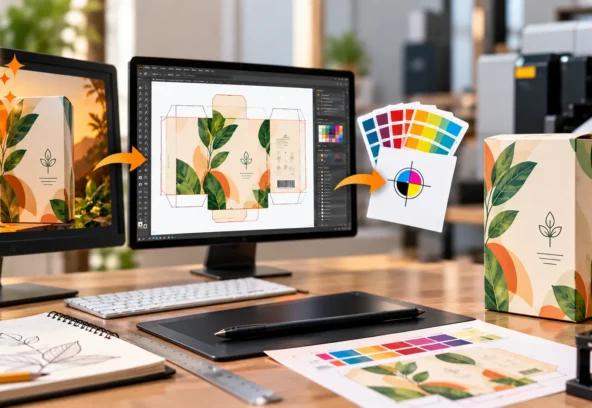
For example, a skincare brand may use the same visual identity across bottle labels, cartons, promotional graphics, and online product images. The digital assets need to look good on screens, while the printed versions must reproduce colours appropriately on the selected materials.
A practical workflow is to maintain the original digital artwork and prepare separate output versions for each use.
- Website and social media: Use the appropriate RGB colour space for digital display.
- Printed labels and cartons: Follow the printer’s required colour mode and output profile.
- Brand-critical colours: Confirm whether process CMYK is sufficient or whether a spot-colour system is needed.
- Special finishes: Check any additional requirements for foil, varnish, or other print effects.
Packaging artwork also needs correct dielines, bleed, safe areas, and other technical details. Colour mode is only one part of making a file production-ready.
How Langoor Designs Can Help With Print-Ready Artwork
Choosing between CMYK and RGB is straightforward once you understand the basics. Preparing complex packaging artwork correctly, however, can require additional technical work.
Langoor Designs provides packaging design, artwork production, and prepress services for brands that need their designs prepared for production. Its services include colour management, image correction, artwork checks, and print-ready file preparation.
If your team is preparing packaging, labels, or other commercial print materials, you can explore Langoor Designs’ prepress services or print and packaging design services.
Frequently Asked Questions
1. Should I use CMYK or RGB for printing?
CMYK is commonly used for commercial printing with process inks. However, some digital printers and online print services accept RGB files and handle conversion themselves. Always follow the printer’s specifications.
2. Does converting RGB to CMYK reduce image quality?
The conversion can change the colours because the two colour models have different gamuts. It does not necessarily make the image less sharp, but some vivid colours may become less saturated or appear different.
3. Can I design in RGB and convert to CMYK later?
Yes. You can often work in RGB during the design process and prepare a print-specific CMYK version later. Keep an original copy and review the converted file before sending it to the printer.
4. Can CMYK reproduce every colour I see on my screen?
No. Standard CMYK printing cannot reproduce every colour available in RGB. The actual printable range depends on the inks, printing process, substrate, and colour profile.
5. Do all packaging designs need CMYK?
Not necessarily. Many packaging jobs use CMYK, but some require spot colours or other specialised colour setups. The appropriate setup depends on the printer, material, design, and production specifications.
Final Takeaway
When comparing CMYK vs RGB printing, remember that RGB is primarily suited to digital displays, while CMYK is commonly used for conventional commercial printing.
The most important step is not simply choosing a colour mode. It is preparing the artwork for the actual output process, checking how colours will reproduce, and following the printer’s specifications.
For packaging, labels, and other professional print projects, proper colour management and prepress checks can help reduce unexpected colour changes and avoid preventable production issues.