
A packaging design can look perfect on a designer’s screen and still create problems when it reaches the printing press.
The reason is simple: design approval and production approval are not the same thing.
Packaging artwork has to work within a physical production process involving dielines, folds, cuts, substrates, inks, finishing, barcodes, printing tolerances, and sometimes multiple SKUs or language versions. A small technical mistake that is barely noticeable on screen can become a costly reprint once thousands of packages have been produced.
This is why a prepress review should happen before packaging artwork goes to production.
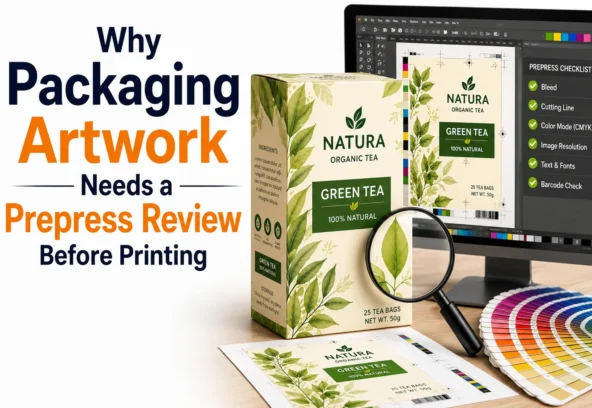
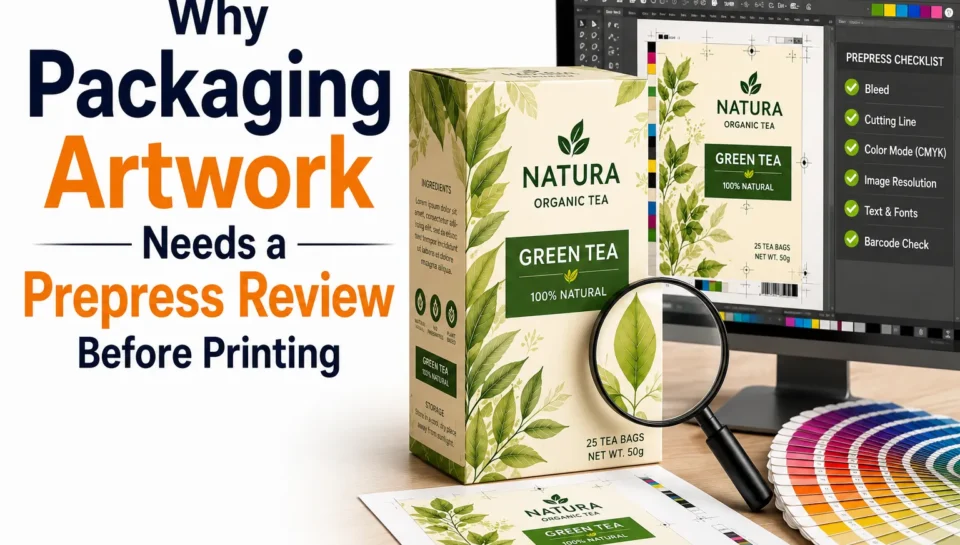
A proper prepress review acts as the final technical quality gate between the approved design and the printing press. It helps identify problems with dielines, bleed, colours, images, fonts, barcodes, finishing layers, and file setup before those problems become production issues. Current packaging artwork guidance similarly recommends checking the approved dieline, bleed, safe areas, colour setup, fonts, images, barcodes, finishes, and revision control before production.
Quick Answer: What Does a Prepress Review Do?
A prepress review checks whether packaging artwork is technically ready for printing.
It typically verifies:
- Correct dieline and dimensions
- Bleed and safe areas
- CMYK and spot colours
- Image resolution
- Fonts and typography
- Barcode and QR code placement
- Regulatory and product information
- Special finishes
- Overprint settings
- File format and export settings
- Artwork version and SKU
- Printer-specific requirements
The goal is to find and fix errors before printing begins, when changes are still relatively quick and inexpensive.
What Is Prepress in Packaging?
Prepress is the stage between completing the packaging artwork and starting the actual printing process.
It prepares the artwork and checks whether the file is suitable for the selected printing and finishing process.
For packaging, this is particularly important because the artwork isn’t simply printed on a flat sheet. It may need to be:
- Die-cut
- Folded
- Glued
- Laminated
- Embossed
- Foil stamped
- Varnished
- Sealed
- Formed into a pouch, carton, label, or other structure
The artwork therefore has to match the physical construction of the package.
A prepress review makes sure the digital file and physical packaging structure are aligned.
Why Can’t the Designer Just Check the Artwork?
A designer’s review and a prepress review serve different purposes.
A designer typically focuses on:
- Visual hierarchy
- Brand identity
- Typography
- Colour aesthetics
- Consumer appeal
- Layout
- Overall appearance
A prepress specialist focuses on:
- Production specifications
- Dieline accuracy
- Bleed
- Colour separation
- Print limitations
- Image resolution
- Barcode requirements
- Finishing layers
- File integrity
Both are important.
A package can be visually excellent but technically unsuitable for production.
That’s why separating creative approval from technical approval can make the packaging workflow more reliable.
1. Prepress Checks the Correct Dieline
The dieline is effectively the structural blueprint for packaging.
It determines where the package will be:
- Cut
- Folded
- Glued
- Perforated
- Sealed
- Opened
Artwork should be built using the latest approved production dieline, not an old template or a recreated version.
A change in package dimensions can move an entire panel or place important information too close to a fold or cut.
For example, a product name that looks perfectly positioned in the artwork file could end up sitting directly across a crease once the package is folded.
A prepress review checks the artwork against the actual production structure before the file is released.
2. It Prevents Bleed and Trim Problems
Bleed is the extra artwork that extends beyond the final cutting edge.
Without sufficient bleed, even a small variation during cutting can create an unwanted white edge.
A prepress review checks that:
- Backgrounds extend through the bleed
- Important text stays within the safe area
- Logos aren’t too close to trim lines
- Images don’t accidentally end at the cut edge
- Critical information isn’t positioned over folds
The exact bleed requirement should always come from the printer or packaging manufacturer because requirements can vary by structure and printing process. A commonly used starting point is 3 mm, but it should never replace the supplier’s specification.
3. It Helps Control Colour Before Printing
The colour displayed on a computer monitor isn’t a guarantee of how packaging will look after printing.
Packaging may involve:
- CMYK process colours
- Pantone or other spot colours
- White ink
- Metallic inks
- Varnishes
- Special substrates
A prepress review checks whether the artwork’s colour setup matches the intended printing process.
This becomes especially important for brands with strict colour identities.
For example, if a brand’s signature colour appears slightly different across several product packages, customers may perceive the range as inconsistent even when the underlying design is identical.
Professional packaging prepress therefore checks colour spaces, spot colours, separations, and printer-specific requirements before production.
4. It Identifies Low-Resolution Images
A product image can look sharp on a laptop and still print poorly.
This commonly happens when designers use:
- Website images
- Screenshots
- Compressed photographs
- Incorrectly scaled images
- Low-resolution stock images
A prepress review checks the effective resolution of placed images at their final production size.
For many packaging applications, 300 DPI is a common guideline for raster imagery, although the appropriate resolution depends on the printing process and production requirements.
This check helps prevent:
- Blurry photographs
- Pixelated graphics
- Soft product images
- Poor-quality textures
5. It Prevents Font and Typography Problems
Fonts can create unexpected production issues when packaging artwork moves between systems.
If a required font is unavailable, text can be substituted or reflowed.
That can change:
- Line breaks
- Text spacing
- Alignment
- Regulatory information
- Product claims
- Overall layout
Prepress workflows commonly embed or outline fonts according to the printer’s requirements to maintain consistency.
This is particularly important for packaging containing small regulatory text or multiple languages.
6. It Checks Barcodes and QR Codes
Barcodes are functional elements, not merely graphic elements.
They need sufficient contrast, correct dimensions, appropriate quiet zones, and suitable placement.
GS1 specifically highlights factors such as quiet zones, contrast, symbol size, positioning, and print quality when assessing barcode readability.
A prepress review can identify whether a barcode is:
- Too close to a fold
- Distorted
- Too small
- Low contrast
- Placed on an unsuitable surface
- Missing sufficient quiet space
For 2D barcodes, GS1’s current guidance also recommends validating encoded data, placement, print quality, and readability on representative packaging and scanners.
A barcode that looks correct in an artwork file isn’t necessarily a barcode that will scan reliably after printing.
7. It Checks Special Finishing Layers
Modern packaging often uses finishes to create a premium appearance.
These may include:
- Spot UV
- Foil stamping
- Embossing
- Debossing
- White ink
- Matte or gloss varnish
- Die-cut windows
These production elements generally need to be clearly separated and identified within the artwork.
If a spot UV layer accidentally becomes a printable element or a foil layer isn’t correctly defined the finished package may look completely different from the approved design.
Prepress review checks that these production layers are correctly prepared for the printer or converter.
8. It Catches Copy and Version Errors
Packaging frequently contains important information that changes between product variants.
For example:
- Product name
- Flavour
- Size
- Ingredients
- Nutrition information
- Claims
- Country information
- Contact details
- Barcode
- Batch information
When a brand has dozens or hundreds of SKUs, version control becomes critical.
A prepress review can verify that the correct artwork version is being released for the correct SKU.
This prevents a common and expensive scenario: printing the right design with the wrong product information.
9. It Reduces Printing Delays
Without prepress review, a printer may discover an issue after receiving the artwork.
The file is then sent back to the design or marketing team.
The cycle becomes:
Artwork → Printer → Error Found → Revision → Approval → Printer → New Error → Revision
Every additional round can delay production.
With a structured prepress process, many issues are identified before the file reaches the printer.
That means:
Artwork → Prepress Review → Correction → Approval → Production
The difference may seem small, but it becomes significant when managing multiple packaging projects simultaneously.
10. It Reduces the Risk of Expensive Reprints
The most important reason for prepress review is cost control.
Imagine a brand discovers after production that:
- A barcode doesn’t scan
- A required statement is missing
- The colour is incorrect
- The wrong SKU was printed
- A logo crosses a fold
- A regulatory panel contains outdated information
The solution may involve a complete reprint.
The cost isn’t limited to printing.
There may also be:
- Wasted packaging materials
- Production downtime
- Shipping costs
- Inventory problems
- Missed launch dates
- Retail delays
- Additional design work
A prepress review helps move the error-detection point earlier in the process, where corrections are much easier to manage.
A Practical Packaging Prepress Review Checklist
Before releasing packaging artwork for printing, businesses should confirm:
Structure
- Correct production dieline
- Correct dimensions and scale
- Correct panel orientation
- Fold and cut lines verified
- Glue and seal areas checked
Artwork
- Bleed added where required
- Safe areas respected
- Images have suitable resolution
- Logos are production-ready
- Fonts are embedded or outlined as required
Colour
- Correct colour mode
- Spot colours correctly defined
- Brand colours verified
- Special inks correctly separated
Barcodes
- Correct barcode supplied
- Appropriate size
- Adequate quiet zone
- Suitable contrast
- Position checked
- Verification/testing completed where required
Finishing
- Foil layers separated
- Spot UV layers separated
- Emboss/deboss information clear
- White ink layers correctly identified
- Die-cut elements correctly defined
Content
- Correct SKU
- Correct product variant
- Correct ingredients
- Correct claims
- Correct regulatory information
- Spelling and contact details checked
Final File
- Correct artwork version
- Printer-approved file format
- No missing links
- No accidental hidden elements
- Final proof reviewed
- Final approval recorded
When Should the Prepress Review Happen?
A common mistake is performing the prepress review only after the artwork has already been sent to the printer.
Ideally, the review should happen before final production approval.
A practical workflow is:
Step 1: Confirm the Structure
Get the final dieline and production specifications from the printer or packaging manufacturer.
Step 2: Complete the Design
Develop and approve the visual packaging design.
Step 3: Prepare the Artwork
Apply the approved design to the production dieline.
Step 4: Conduct Prepress
Check technical, structural, colour, content, barcode, and finishing requirements.
Step 5: Correct Issues
Resolve anything identified during the review.
Step 6: Approve the Final File
The appropriate brand, regulatory, and production stakeholders sign off.
Step 7: Send to Production
Only the approved production version should be released to the printer.
This workflow creates a clear quality-control point before manufacturing begins.
Why Langoor Designs Can Support the Packaging Artwork Process
For brands, managing packaging artwork internally can become challenging when product ranges expand across multiple SKUs, markets, formats, and printing processes.
Langoor Designs specialises in packaging design and production-ready artwork, helping brands bridge the gap between creative design and manufacturing requirements.
Its packaging capabilities include:
- Packaging Design
- Packaging Artwork Production
- Prepress Services
- Print-Ready Artwork
- Label Design
- Packaging Adaptation
- Artwork Quality Control
- Barcode and QR Code Integration
- Multi-SKU Artwork Support
The company website shown in the supplied reference also highlights its focus on production-ready design, utility-driven packaging, strategic brand design, and experience across multiple markets and packaging projects.
For brands that need packaging to move smoothly from approved concept to production, this combination of design and artwork expertise can provide an additional layer of technical control.
Frequently Asked Questions
What is a prepress review?
A prepress review is a technical quality check performed on packaging artwork before it is released for printing. It verifies elements such as dielines, bleed, colours, images, fonts, barcodes, finishes, and file setup.
Why is prepress important for packaging?
Packaging has to work with physical cutting, folding, printing, and finishing processes. Prepress identifies technical problems before they become production errors or costly reprints.
What does packaging prepress check?
It can check the dieline, bleed, safe areas, colour setup, image resolution, fonts, barcodes, QR codes, finishing layers, artwork versions, and printer-specific requirements.
Can prepress prevent printing errors completely?
No. Prepress can significantly reduce preventable artwork and file-related errors, but it cannot eliminate every possible issue during physical production. Printer proofs, material testing, and production quality control remain important.
Is prepress different from packaging design?
Yes. Packaging design focuses on the creative and strategic aspects of the package, while prepress focuses on preparing and validating the approved artwork for production.
Why are barcodes checked during prepress?
Incorrect size, contrast, quiet zones, or placement can affect barcode readability. GS1 recommends checking factors including symbol size, quiet zones, contrast, construction, and positioning.
When should packaging artwork undergo prepress?
The final artwork should undergo prepress before production approval and before the printer begins the full production run. If the dieline, material, printing process, or artwork changes afterward, another review may be necessary.
Final Thoughts
Packaging artwork shouldn’t go directly from “looks good” to “send it to the printer.”
There needs to be a technical checkpoint in between.
A professional prepress review examines the details that aren’t always obvious during a creative review from the correct dieline and bleed to colour separation, image resolution, typography, barcodes, finishing layers, and artwork versions.
For brands, this additional quality-control step can help prevent avoidable revisions, printing delays, rejected files, and expensive reprints.
The principle is straightforward:
Fix the file before you print it, not after you manufacture it.
For FMCG, food and beverage, cosmetics, healthcare, D2C, and other product brands, a well-managed prepress process provides greater confidence that the approved packaging design will translate accurately from the screen to the finished product.
That is why prepress review should be treated as an essential part of packaging artwork production not an optional final check.