
Managing packaging artwork for five products is relatively straightforward. Managing 50, 100 or even 500+ SKUs across different sizes, flavours, product categories and markets is a completely different challenge.
For FMCG brands, product portfolios are constantly evolving. New variants are introduced, packaging sizes change, ingredients are updated, promotional editions are launched and products are adapted for different markets.
Every change requires accurate artwork adaptation while maintaining the brand’s visual identity and meeting production requirements.
As the number of SKUs increases, so does the complexity of managing artwork versions, product information, approvals and print-ready files.
Without a structured process, even a well-established brand can experience inconsistent packaging, incorrect product information, production delays and costly rework.
So, how can businesses scale packaging artwork adaptation without compromising quality?
In this guide, we explore the challenges of managing multiple packaging SKUs and the processes that help FMCG brands maintain accuracy, consistency and production efficiency.
1. Why Managing Multiple Packaging SKUs Becomes Challenging
A packaging design that works for one product cannot always be directly applied to another.
Even when products belong to the same brand family, each SKU may have different requirements.
For example, a food and beverage brand may have:
- 10 different flavours
- 3 packaging sizes per flavour
- 2 packaging formats
- Multiple regional language versions
This can quickly result in dozens or hundreds of individual artwork files.
Each variation may require changes to product names, ingredients, nutritional information, net quantity, barcodes, product images and other details.
The challenge is not simply creating more artwork. It is ensuring that every version is correct while preserving the approved design system.
Common challenges when managing 50+ SKUs
Inconsistent brand presentation
Different artwork files may develop variations in typography, logo positioning, colours, spacing and layout when adaptations are handled without a common reference.
Incorrect product information
Copying information between similar SKUs can lead to incorrect ingredients, nutritional values, claims or product descriptions.
Uncontrolled artwork revisions
Multiple stakeholders may share updated files, making it difficult to identify the latest approved version.
Repetitive manual work
Creating every variation from scratch wastes time and increases the possibility of production errors.
Complex approval processes
When several departments need to review artwork, coordinating approvals across dozens of SKUs can become difficult.
Different printing specifications
A product may use different packaging materials, dimensions or printing methods across its variants, requiring additional technical preparation.
The solution is to move from individual artwork creation to a structured and repeatable SKU adaptation workflow.
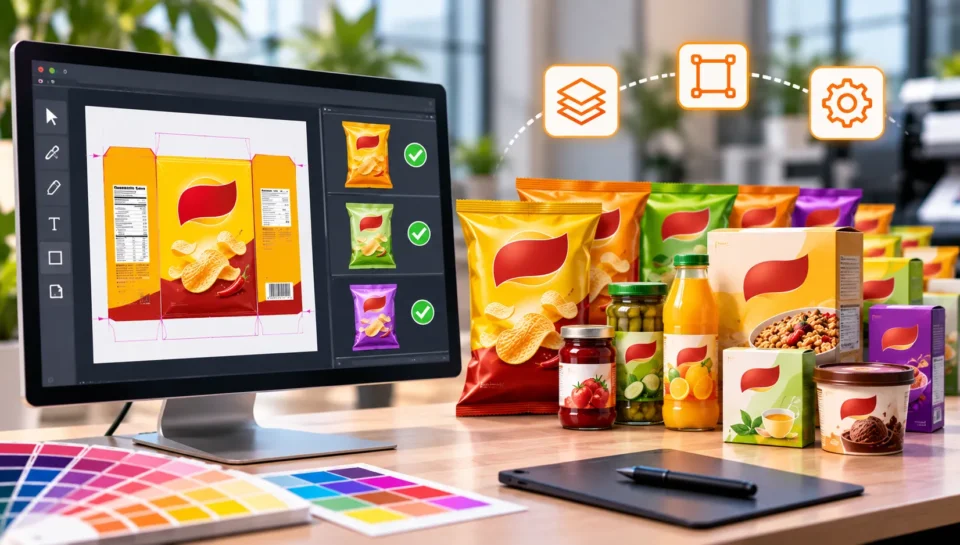
2. Start with a Master Artwork System
One of the most effective ways to manage multiple packaging SKUs is to establish a master artwork system.
A master artwork is an approved reference file that defines the visual structure and key design elements of a product or product family.
Instead of creating every packaging variation independently, the artwork team uses the approved master as the starting point for future adaptations.
What should a master artwork contain?
A master artwork should clearly establish:
- Approved logo and brand elements
- Typography and colour specifications
- Design layout and visual hierarchy
- Product image placement
- Standard information panels
- Mandatory content positioning
- Dieline and packaging structure
- Technical artwork specifications
For example, consider a brand selling five different flavours of protein powder in three different pack sizes.
The brand can establish a master design system for the product family and use it as the reference for all subsequent adaptations.
The brand identity remains consistent, while product-specific information and relevant design elements are updated for each SKU.
Why does this approach work?
A master artwork system helps:
- Reduce repetitive design work.
- Maintain consistency across product variants.
- Simplify future packaging updates.
- Establish a common production reference.
- Reduce unnecessary artwork revisions.
Important: A master artwork should not become a source of uncontrolled copying. Each adapted SKU must still be checked against its own approved product information and technical specifications.
3. Build a Structured SKU Artwork Adaptation Workflow
When handling 50+ packaging SKUs, a repeatable workflow is essential.
Every SKU should move through clearly defined production stages, from receiving the brief to delivering the final approved artwork.
Here is a practical workflow for FMCG brands.
Step 1: Collect and Organise SKU Information
Before artwork adaptation begins, gather all product-specific information in one organised location.
A central SKU information sheet can help the artwork team identify the requirements for every product.
For example:
| SKU | Product variant | Pack size | Artwork status |
| SKU 001 | Original | 100 g | Pending |
| SKU 002 | Chocolate | 100 g | In progress |
| SKU 003 | Vanilla | 250 g | Approved |
| SKU 004 | Strawberry | 250 g | Pending |
| SKU 005 | Original | 500 g | In progress |
For a larger portfolio, the sheet can also include:
- SKU identification number
- Product name and variant
- Packaging dimensions
- Dieline reference
- Approved product copy
- Barcode number
- Language requirements
- Printing specifications
- Artwork version
- Approval status
- Production deadline
This provides a common reference for the brand team and artwork production team.
Step 2: Categorise SKUs by Packaging Format
Not all SKUs should be managed in the same production batch.
Group products according to their packaging formats and structural requirements.
For example:
- Folding cartons
- Flexible pouches
- Labels and stickers
- Bottles and containers
- Sleeves and wraps
- Corrugated packaging
This makes it easier to identify shared technical requirements and establish suitable artwork templates.
A group of similar labels may share dimensions and layout structures, while a folding carton and a flexible pouch will require different technical preparation.
Step 3: Identify Common and Variable Design Elements
Before adapting artwork, identify which elements remain consistent and which need to change.
Common elements may include:
- Brand logo
- Typography
- Corporate colours
- Background graphics
- Brand messaging
- Standard design elements
Variable elements may include:
- Product name
- Flavour or fragrance
- Net weight or volume
- Product imagery
- Ingredients
- Nutritional information
- Barcode
- Regulatory declarations
Separating common and variable information makes the adaptation process more organised.
It also reduces the risk of changing approved brand elements unnecessarily.
Step 4: Execute Artwork Adaptations
Once the information and design structure are established, artwork production can begin.
The artwork team uses the approved master files and SKU information to create individual packaging variations.
During this stage, particular attention should be given to:
- Correct product information
- Consistent typography and alignment
- Accurate logo placement
- Image and colour consistency
- Correct dieline dimensions
- Required market-specific content
- SKU-specific barcodes and identifiers
Every variation should be treated as an individual production file, even when several SKUs share the same design structure.
Step 5: Conduct SKU-Wise Quality Checks
Quality control should not be limited to checking one representative design from a product family.
Every SKU needs an appropriate review before approval.
A structured review should cover three areas:
Design consistency
Does the artwork follow the approved master design and brand guidelines?
Content accuracy
Does the packaging contain the correct product-specific information, claims, ingredients, quantity and barcode?
Technical accuracy
Does the file meet the relevant dieline, colour, image, bleed and printing requirements?
Critical product information should be checked against the approved source data for every SKU.
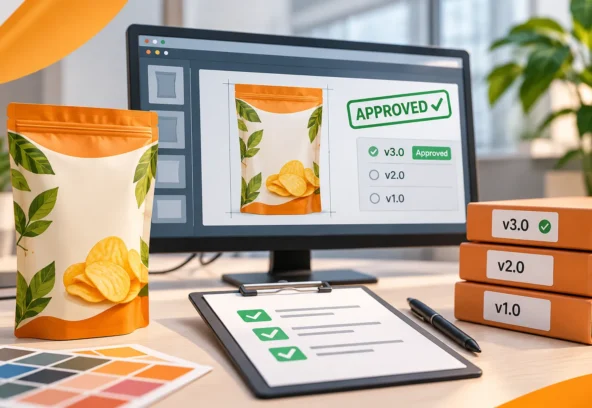
Step 6: Manage Approvals and Final Delivery
Once artwork checks are complete, the files can be shared with the relevant stakeholders for approval.
Maintain clear records of:
- Artwork version
- Revision details
- Review comments
- Approval status
- Final approval date
- Production file location
Only the approved version should be released for printing.
This helps avoid situations where an outdated file is accidentally shared with a packaging manufacturer.
4. How to Maintain Brand Consistency Across 50+ SKUs
Brand consistency becomes increasingly important as product portfolios expand.
Customers should be able to recognise the same brand across different packaging sizes, product variants and retail environments.
However, maintaining consistency does not mean making every package look identical.
Each SKU must communicate its own product identity while remaining part of the larger brand family.
Here are some practical ways to achieve this.
Establish Brand Design Guidelines
Create clear guidelines covering logo usage, typography, colours, spacing, imagery and information hierarchy.
These guidelines should be accessible to everyone involved in artwork production.
Use Approved Master Files
Always work from the latest approved master artwork rather than copying elements from older or unverified files.
Standardise Layout Structures
Where appropriate, establish consistent positions for brand logos, product names, product descriptions and mandatory information.
Maintain Consistent Typography and Colours
Use approved fonts and colour references across all product variants.
For print production, confirm the appropriate colour specifications with the printer.
Review the Entire Product Family
Do not review each packaging design only as an individual file.
Place related SKUs side by side and compare them to identify differences in layout, typography, visual balance and brand presentation.
This additional comparison can help identify inconsistencies that may not be obvious when viewing one artwork file at a time.
5. Artwork Version Control: Keeping Every SKU Organised
One of the biggest risks in high-volume packaging production is losing control of artwork versions.
Consider a product range with 75 SKUs. Marketing updates the product information for 15 SKUs, while the packaging development team requests changes to another 10.
If these changes are managed through separate email threads and loosely organised folders, it becomes difficult to identify the latest approved artwork.
A consistent version control system helps solve this problem.
Recommended Artwork File Naming Structure
Use a standard naming convention that identifies the brand, product, SKU, version and status.
For example:
BRAND_PRODUCT_SKU001_250G_V03_APPROVED.ai
A corresponding production PDF could be:
BRAND_PRODUCT_SKU001_250G_V03_PRINT.pdf
The naming structure can be adapted to the organisation’s internal workflow.
Maintain an Artwork Status Tracker
For larger product portfolios, an artwork tracker can help teams monitor progress across all SKUs.
Suggested status categories include:
- Brief Received
- Information Pending
- Artwork In Progress
- Internal Review
- Client Review
- Revisions Required
- Approved
- Prepress Completed
- Delivered to Printer
This provides better visibility into the artwork pipeline and helps teams identify delays before they affect production schedules.
6. Can Automation Help Manage Large-Scale SKU Adaptations?
Automation can make high-volume artwork production more efficient, especially when multiple SKUs share similar design structures.
However, automation should support the artwork production process rather than replace quality control.
Where Automation Can Help
Variable data updates
Structured data can help populate repetitive information such as product names, quantities and SKU identifiers.
Batch artwork generation
Certain design workflows can generate multiple artwork variations from predefined templates and structured product data.
File naming and organisation
Automated naming conventions and folder structures can make large artwork libraries easier to manage.
Preflight checks
Preflight tools can identify technical issues such as missing fonts, image problems, colour-space inconsistencies and other PDF production issues.
Revision tracking
Digital workflow tools can help record changes and maintain visibility over approval stages.
Why Human Artwork Review Still Matters
Automation can reduce repetitive tasks, but it cannot independently guarantee that every packaging variation is correct.
A generated file may still contain:
- Incorrect product information
- Misplaced text
- Inconsistent visual hierarchy
- Incorrect barcode assignments
- Layout issues
- Unintended changes to approved design elements
The most effective approach combines structured data, efficient artwork production tools and experienced human quality checks.
Technology improves the workflow. Production expertise protects the final output.
7. How Outsourced Artwork Production Helps Brands Scale
For many FMCG companies, managing a growing number of packaging SKUs can put additional pressure on internal design and marketing teams.
Internal teams may already be responsible for brand strategy, campaign development, product launches and creative approvals.
Adding high-volume artwork adaptation to their workload can reduce the time available for these strategic responsibilities.
Working with an external artwork production partner can provide additional production capacity without requiring a permanent increase in internal resources.
Benefits of Working with a Specialist Artwork Partner
Scalable production support
Get additional artwork production support when managing large SKU rollouts, product launches or packaging updates.
Dedicated technical expertise
Access experience in packaging artwork, dielines, vector artwork, colour separation and prepress preparation.
Consistent artwork execution
Use approved master files and defined production guidelines to maintain consistency across product variations.
Flexible project handling
Manage individual artwork projects, large SKU adaptation batches or ongoing production requirements.
More time for internal teams
Allow marketing and brand teams to focus on strategy, product development and approvals while specialist teams handle artwork execution.
The ideal arrangement is a collaborative workflow in which the brand retains control over product information, creative direction and final approvals, while the external partner supports production and technical execution.
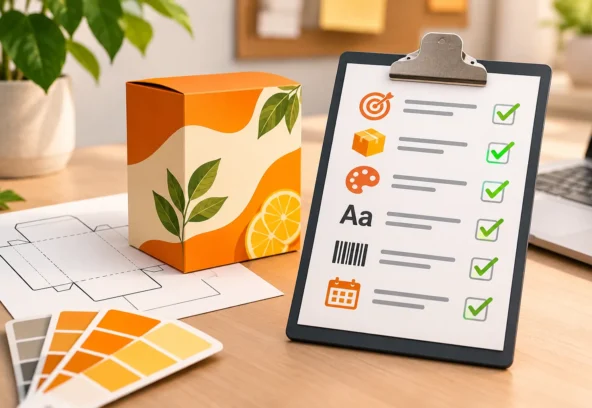
8. A Practical Checklist for Managing 50+ Packaging SKUs
Before starting a large-scale artwork adaptation project, use this checklist to ensure the necessary information and processes are in place.
Before Artwork Production
- Approved master artwork is available.
- Complete SKU list has been received.
- Product information is finalised.
- Correct dielines are available.
- Barcode and QR code information is supplied.
- Printing specifications are confirmed.
- Brand guidelines are accessible.
- Project deadlines and approval responsibilities are defined.
During Artwork Adaptation
- Correct master artwork is used.
- Product-specific information is updated.
- Correct product images are placed.
- Typography and brand colours are consistent.
- Dieline alignment is checked.
- File naming conventions are followed.
- Each SKU is tracked individually.
Before Final Delivery
- Every SKU has undergone content review.
- Visual consistency has been checked.
- Barcode information has been verified.
- Technical prepress checks are complete.
- Required approvals are documented.
- Final artwork versions are clearly identified.
- Print-ready files meet printer specifications.
- Final files are organised and archived.
Following a structured checklist helps make large-scale packaging artwork projects easier to manage and reduces the likelihood of avoidable production issues.
9. How Langoor Designs Supports High-Volume Packaging Artwork Production
At Langoor Designs, we understand the challenges brands face when managing multiple packaging designs, product variations and print production requirements.
Our focus is to help brands and design agencies convert approved designs into accurate, consistent and technically prepared packaging artwork.
We provide support across different stages of packaging artwork production, including:
Master Artwork Creation
Establishing structured artwork files that can serve as a reference for future product variations.
Multiple SKU Adaptations
Adapting approved packaging designs across different sizes, flavours, product variants and packaging formats.
Packaging Artwork Production
Creating editable production artwork while maintaining the approved visual identity and product-specific requirements.
Dieline and Artwork Setup
Placing artwork accurately within packaging structures and ensuring alignment with supplied technical specifications.
Vector Recreation
Recreating raster-based or AI-generated visuals as editable vector artwork suitable for packaging production.
Prepress and Print-Ready File Preparation
Preparing final artwork with appropriate colour specifications, trapping, separations, bleed and technical checks according to printer requirements.
Whether you need artwork adaptations for 50 SKUs or ongoing production support for a growing product portfolio, Langoor Designs can help streamline your artwork workflow.
Our goal is to make packaging artwork production more organised, consistent and reliable.
Conclusion: Scale Your Packaging Production Without Losing Control
Managing 50+ packaging SKUs does not have to mean managing 50 separate design challenges.
With approved master artwork, structured SKU information, standardised adaptation workflows, clear version control and consistent quality checks, brands can manage growing product portfolios more effectively.
The key is to build a repeatable production process that maintains brand consistency while accommodating product-specific requirements.
For FMCG brand managers, this means better visibility, fewer avoidable artwork errors and a more organised route from approved design to final production.
As your product portfolio grows, your artwork management process should grow with it.
Need support managing multiple packaging SKUs?
Langoor Designs helps brands and design agencies with packaging artwork production, bulk SKU adaptations, vector recreation and technical prepress.
Whether you are preparing a new product range or updating an existing portfolio, we can support your team with reliable artwork production.
Let’s discuss your next packaging artwork project.
Website: https://langoordesigns.com/
Email: artwork@langoordesigns.com
Portfolio: https://langoordesigns.com/our-work/
FAQs: Managing Multiple Packaging SKUs
1. What is SKU adaptation in packaging design?
SKU adaptation is the process of modifying an approved packaging design for different product variations, sizes, flavours, quantities or formats while maintaining the brand’s visual identity and ensuring product-specific information is accurate.
2. How do FMCG companies manage 50 or more packaging SKUs?
FMCG companies can manage large SKU portfolios through approved master artwork, centralised product information, standardised artwork templates, version control, SKU tracking and structured quality checks.
3. What is master artwork in packaging?
Master artwork is an approved reference design that establishes the visual structure, brand elements and layout guidelines for a product or product family. It serves as the foundation for creating additional SKU variations.
4. How can brands maintain consistency across multiple packaging designs?
Brands can maintain consistency by following approved brand guidelines, using master artwork, standardising layout structures, controlling revisions and reviewing related SKUs together.
5. Can packaging artwork adaptation be automated?
Certain repetitive tasks, such as variable data placement, batch artwork generation, file naming and preflight checks, can be automated. However, product information, visual consistency and final production files still require appropriate quality checks.
6. Why should FMCG brands outsource packaging artwork production?
Outsourcing can provide additional production capacity, specialist prepress expertise and flexible support for large SKU adaptation projects without requiring brands to expand their permanent internal teams.
7. What information is required for bulk packaging artwork adaptation?
A typical project requires approved master artwork, a complete SKU list, final product information, packaging dielines, barcodes, brand guidelines, printer specifications and approval requirements.
8. What is the difference between SKU adaptation and packaging redesign?
SKU adaptation modifies an existing approved packaging design to accommodate product variations. Packaging redesign involves changing the overall visual concept, layout or brand presentation.